
Solar Panels Producing Nothing?

Solar Panels Producing Nothing? A 10-Minute Diagnostic Before You Call Anyone
The short version
Zero output usually means one of five things: a tripped breaker, an isolator left off, an inverter fault, a grid cut, or a full battery with export switched off. Work through the ten-minute check below in order — cheapest and safest first. Roughly half the ‘dead system’ calls I get are fixed at the switchboard before anyone touches a roof. If it’s genuinely dead, the evidence you gather here gets you repaired faster, and often free under warranty.
Winter morning, kettle on, app open. And there it is: a flat grey line where yesterday’s generation curve should be. Zero watts. Zero export. Zero explanation.
I’ve been around UK solar for over twenty years, and I’d guess a fair chunk of the “dead system” calls I attend were never dead at all. A tripped breaker. An isolator left off after the roofers were in. A monitoring dongle that dropped off the Wi-Fi when the router changed. All fixable in minutes. All free.
So before you book a call-out and hand over a diagnostic fee, give me ten minutes. In this order, with a pen and your phone camera. By the end you’ll either have fixed it yourself, or you’ll hold exactly the evidence an engineer needs to fix it first time — often at no cost under warranty.
Minute 0–1Prove it’s really producing nothing
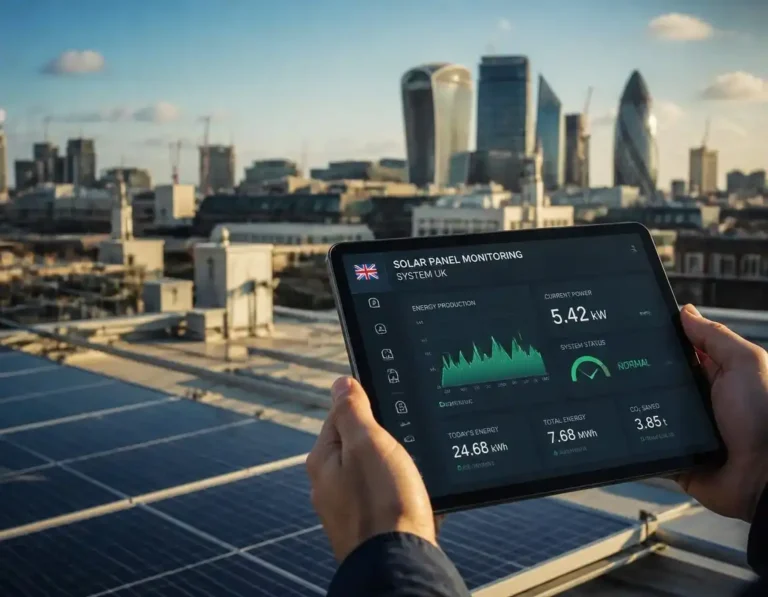
Start at the source of truth, not the app. Monitoring portals go offline constantly — router swaps, new Wi-Fi passwords, a dongle that’s quietly died — and an offline portal looks identical to a dead array on your phone. Walk to the inverter. Is the screen or the status LED alive? That single glance splits the whole problem in two.
If your system has a FIT-era generation meter, stand and watch it for thirty seconds. A ticking meter means you’re generating, whether the app agrees or not.
Sanity-check the calendar too. In December a UK array can produce effectively nothing before eight in the morning and after four in the afternoon, and a dull hour between those isn’t much better. Compare against yesterday’s curve in your app history, not against July.
One fork in the road before we go further: if the system is producing something but less than it used to, that’s underperformance — a different beast with a different checklist, and my Solar Panels Underperforming? guide covers it properly. This page is for true, flat zero.
Minutes 1–2The switchboard
Consumer unit next. Look for the breaker labelled solar PV, PV supply or inverter. On many UK boards it’s an RCBO in its own slot, and a tripped RCBO often rests in a middle position — neither on nor off, which is why people walk past it. Push it fully to off, then firmly to on.
If it trips again instantly, or within a few minutes, stop there. Repeated tripping is the system telling you about an earth fault or water ingress somewhere in the cabling or the inverter. That’s an engineer job, and resetting it over and over just cooks the fault further.
If the whole house is dark too, you don’t have a solar fault at all — you have a power cut. Grid-tied inverters are required to disconnect when the mains fails (a safety feature known as anti-islanding), because they must not feed power into a dead grid that a line engineer might be working on. So your panels will sit at zero in full sunshine until supply returns, then wake by themselves a minute or two later. There’s a fuller explanation in what your system does during a power cut.
Minutes 2–3The two isolators
Two switches sit between your panels and your house: the DC isolator (at or near the inverter, sometimes up in the loft) and the AC isolator, a small switch box on the wall beside the inverter. Both must be ON for anything to happen.
You’d be amazed how often they’re not. Roofers switch off for safety to swap tiles, then forget. Scaffolders, painters, loft insulation crews, broadband engineers routing a cable through the loft. I’ve attended a job where a well-meaning relative turned everything off “because the red light looked angry” during a storm warning.
Switch the DC isolator on first, then the AC isolator, stand back, and give the inverter three to five minutes. Screens don’t come alive instantly — there’s a sync routine with the grid first, and waiting feels much longer than it is.
Minutes 3–5Read the inverter
Now read the box itself. There are three states, and each sends you somewhere different.
Screen completely dead, no LEDs. AC power isn’t reaching it, or the inverter’s own supply has failed. You’ve already checked the consumer unit and both isolators, so this one’s an engineer call.
Screen alive with a fault. Write the code down exactly as shown, characters and all. Most codes fall into a few families: grid-loss (“No Grid”), over-voltage (“Grid Volt High”, “OV”), insulation or earth faults (“Iso”, “Riso”, “GFCI” on some Chinese-firmware inverters), arc faults (“AFCI”, “Arc”), and over-temperature. My Solar Inverter Fault Codes Explained UK page translates the brand-specific versions.
Screen alive, no fault, showing zero. Keep going — the next sections are yours.
Two patterns are worth knowing because they look like “broken” but aren’t:
The sunny-midday dropout (over-voltage)
UK supplies must stay within 230 V −6%/+10% under the Electricity Safety, Quality and Continuity Regulations, which puts the statutory ceiling at 253 V. Many inverters are set to disconnect at or near that point, though the exact protective setting varies by DNO and inverter model. On a bright day in a street full of solar, local voltage can creep past the limit around midday and your system logs itself out until things settle. Fine at ten, dead at one, back at four is the signature. Log the times — your installer can adjust settings or bring the network operator into it.
The damp-morning fault (insulation / earth)
Overnight moisture in an ageing connector or a nicked cable trips the earth-check first thing. As the panels warm and dry out, the fault clears and the day looks normal from eleven onwards. Nothing until late morning on damp days, fine on dry ones, is the tell. Recurring means ingress somewhere that needs finding. Don’t mask it with repeated resets.
The one safe restart
One clean restart is fair game: DC isolator ON first, then AC isolator ON, then wait a few minutes for the grid sync. What you must never do is open the inverter cover, unplug MC4 connectors or handle exposed DC cabling. A domestic string can sit near 600 V DC in daylight, live even with the inverter switched off. One restart, then stop.
Minutes 5–6Sky, snow and shade — from the ground
Sixty seconds outside, phone in hand. A full blanket of snow means zero output, and that’s physics rather than fault; it usually sheds off a pitched array in a couple of days, and my snow and ice damage guide covers what to watch for.
Then look for shade that wasn’t there last month: a scaffolding tower, a new extension, a neighbour’s tree that’s had a good summer. If it’s the tree, there’s a proper conversation to have — start with neighbour’s tree blocking your panels.
Zoom the array from the garden. You’re checking for a dangling connector under the rail, a cracked panel, nesting material pushed under an edge, or scorching around an isolator. If you can smell burning anywhere near the inverter or isolators, switch the AC isolator off if it’s safe to reach and call today, not next week.
Don’t climb up. Don’t jet-wash anything. Roof falls and forced water ingress both cost rather more than any call-out fee.
Hidden faultThe battery system that chooses zero
This one only applies to hybrid and battery systems, and it’s the fastest-growing cause of “broken” solar I’m called to. The inverter isn’t broken. It’s obeying your settings.
If the battery sits at 100% and there’s nowhere to send surplus — export limit set to zero, no export arrangement in place, or a site export cap — a hybrid inverter throttles the panels down, sometimes to nothing at all. Same signature from a CT clamp fitted on the wrong tail or facing the wrong way: the limiter believes you’re exporting when you’re not, and clamps generation to “correct” it.
The two-minute test: switch on a big load. Immersion heater, kettle, EV charger, anything. If PV output wakes within a minute or two, you’ve just watched curtailment release, and the fix lives in your export and clamp settings rather than on the roof.
Architecture matters here too. On microinverters every panel is independent, so a total zero is almost never panel-side — look at the AC branch breaker instead. On string systems with optimisers, one dead string can hide behind a healthy one for months. If you’re not sure which you own, my primer on microinverters vs string inverters settles it in five minutes.
Minutes 6–8Which number is lying?
Your system reports through up to three windows: the monitoring app, a FIT-era generation meter, and your smart meter’s export readings. When they disagree, the disagreement is the diagnosis.
App says zero, generation meter ticking. Your panels are fine and your monitoring comms aren’t. Reboot the dongle or logger (thirty seconds unplugged), check it’s on your 2.4 GHz Wi-Fi band, and remember that a router change kills logging silently. If you want the deeper version, it’s in solar monitoring systems.
Generating normally, but smart meter export readings missing or stuck at zero. That’s a metering or comms fault, not a generation fault — and it quietly eats export income while nobody notices. My smart meter not sending export readings page walks through the fix step by step.
App and meter both dead, inverter screen alive with no fault showing. Now you’re in genuine no-production territory, and the next stop is the evidence pack.
Minutes 8–10Build the evidence pack
Two minutes on your phone now saves you money later, whether or not the system wakes up. Photograph:
• The inverter screen or LED state, and any fault code exactly as shown
• The serial number label, usually on the side or underside of the inverter
• Both isolator positions, and your consumer unit
• The generation meter reading, if you have one
• The array from ground level
Then write a few lines: when it last worked, when zero started, any breaker trips, the weather since, and anything that touched the house recently — roof works, loft insulation, a new router, a new boiler, a power cut. That last list catches more culprits than people expect.
Email the lot to your installer with your warranty reference. Half the time they’ll diagnose from the photos and arrive with the right part, or talk you through a free fix on the phone. Call-out charges under warranty vary wildly between brands and installers, so it’s worth re-reading what your warranty actually covers before you book anything.
Next stepsWho to call, and what it’ll cost
Under warranty, go to the original installer first, always — they hold the workmanship side of the cover and usually the manufacturer relationship too. If they’ve folded or won’t respond, the manufacturer route generally runs through an MCS-certified firm; check credentials on the MCS register before handing over keys, codes or roof access. Out of warranty, any competent MCS electrician will do, and my Find a Solar Installer in the UK guide works just as well for repair jobs as for new ones.
If the verdict is a dead inverter, don’t panic-buy on the doorstep. Read inverter replacement costs first — on an older unit a repair is sometimes proportionate, and sometimes throwing money at a fifteen-year-old box is exactly the wrong call.
Ring your network operator only for supply-side problems: your service fuse or cut-out, or persistent voltage above 253 V that your installer can’t resolve locally. Voltage-rise conversations with the network operator are their job, not yours.
As for money: these are rough bands from my own 2026 job files, not a price list — always get quotes. A diagnostic visit typically lands between £90 and £180. A monitoring dongle swap runs £50–£150, an isolator or breaker swap £120–£260, a fitted optimiser replacement £180–£350. A like-for-like inverter replacement is the biggest single item, typically £500–£1,500 (the Energy Saving Trust’s own benchmark figure is around £800), rising to roughly £1,400–£2,200 if you upgrade to a hybrid, battery-ready unit at the same time. For the fuller picture see what solar repairs actually cost in 2026.
| Symptom | Likely culprit | First move |
|---|---|---|
| Inverter screen dead, no LEDs | AC supply lost, spur or isolator off, inverter supply failed | Consumer unit and isolators, then engineer |
| Screen shows a fault code | Protective trip (grid, voltage, earth, arc) | Note code, one clean restart, fault-code guide |
| App zero, generation meter ticking | Monitoring comms — dongle or Wi-Fi | Reboot logger, check 2.4 GHz band |
| Fine at 10am, zero at 1pm, back at 4pm | Over-voltage trip near 253 V | Log times; installer voltage review |
| Nothing till late morning on damp days | Insulation / earth fault drying out | Stop resetting; book a fault-find |
| Battery at 100%, PV asleep | Curtailment by design or export limit | Switch on a big load; review settings |
| Whole house dead too | Power cut — inverter must shut down | Wait for supply; auto-restart follows |
| Breaker trips repeatedly | Earth fault or water ingress | Stop resetting; engineer this week |
FAQsThe questions I get most
Why are my solar panels producing nothing on a bright, sunny day?
The four usual suspects are a grid-side problem (a power cut, or a tripped breaker in your consumer unit), an isolator switch left off after roof or maintenance work, an inverter fault or protective trip, or curtailment on a hybrid system with a full battery and no export path. Work through the ten-minute check in order. If everything at ground level looks healthy and the inverter keeps logging over-voltage or insulation faults, that is an installer call, not a DIY job.
Is it safe to reset a solar inverter myself?
Switching the isolators is safe: DC isolator on first, then the AC isolator, then give the inverter a few minutes to sync with the grid. What is not safe is opening covers, pulling MC4 connectors or touching exposed DC cabling. A domestic string can sit near 600 volts in daylight, even with the inverter switched off. If a fault code returns after one clean restart, stop resetting and book the fault in.
How much does a solar fault call-out cost in the UK?
From my own job files in 2026, a diagnostic visit typically lands between £90 and £180, a monitoring dongle replacement between £50 and £150, and an isolator or breaker swap between £120 and £260. A like-for-like inverter replacement usually runs £500 to £1,500 (the Energy Saving Trust’s own benchmark is around £800), rising to £1,400–£2,200 for a hybrid or battery-ready upgrade. If your system is under warranty the diagnosis should be free, which is exactly why the evidence pack in this guide matters.
That’s the whole ten minutes, in order: prove it, switchboard, isolators, inverter, sky, settings, meters, evidence. Most weeks one of those steps ends the story for free, and nobody ever gets on a ladder. And when it doesn’t, you’ll walk into that phone call knowing precisely what’s broken and when it broke — which, trust me, changes how quickly it gets fixed.