Solar Battery Not Charging? UK Causes & Fixes

Solar Battery Not Charging? Causes and Fixes for UK Homes (2026)
The short version
A solar battery that won’t charge is usually following an instruction, not dead. The usual suspects are an isolator or mode setting, a disabled grid-charge toggle, a charge window that no longer matches your tariff, an inverter clock an hour out, or cold cells. Check them in that order, then firmware and app connectivity, and only then suspect hardware. A repeating insulation, contactor or BMS fault code needs an MCS-certified installer, not another reset.
Every winter the same post appears in UK solar groups: “My battery’s stopped charging. Is it dead?” I’ve been around UK solar for over twenty years, and the honest answer is usually no. The battery is doing what it was told: a setting, a tariff window, or a firmware default that reset itself. This guide runs from the embarrassingly obvious to the genuinely faulty, so you can find the cause in about ten minutes before paying for a call-out.
If you’re still learning what a home battery should do day to day, start with the Energy Saving Trust’s battery storage advice, our solar battery storage UK guide and our solar tech hub.
Quick diagnosis: what you’re seeing and the likely cause
| Symptom | Likely cause | First move |
|---|---|---|
| Charges from solar but never from the grid overnight | Grid (AC) charge disabled, or window outside your off-peak hours | Enable grid charge; align the window to your tariff |
| Same percentage every morning since a tariff change | Timer still on the old cheap window, or clock an hour out | Reset the window; check the inverter clock |
| Stops at 80% or 90% | Maximum charge cap or target SoC | Check the cap in the app |
| Won’t charge on cold mornings, fine after lunch | BMS low-temperature protection | Let cells warm; insulate or move the battery, or choose a heated model |
| Jumps from 95% to 100%, then falls fast | State-of-charge drift or cell imbalance | One full calibration charge; log it if it repeats |
| App shows 0% or a stale figure; inverter screen shows charge | Monitoring or Wi-Fi dropout | Reboot the gateway and router; trust the inverter display |
| Charging stalls on bright spring afternoons | Grid over-voltage curtailing the inverter | Check the voltage log; ask your DNO to investigate |
| Fault code after heavy rain | Moisture ingress or low insulation resistance | Isolate and book an inspection; don’t keep resetting |
1. Start with the boring checks
- Isolators and breakers. Check the PV DC isolator, the battery isolator or fuse block, and the AC isolator by the inverter. A tripped RCBO or nearby electrical work can leave one off while the house looks normal.
- Full restart, in the right order. After a power cut some hybrid inverters wake in a restricted state. Shut down and restart in the manufacturer’s sequence, typically AC, PV, then battery off, and back on in reverse.
- Read the inverter, not the app. If your gateway has dropped offline, the app can show a state of charge hours out of date. See our guide to solar panel monitoring systems.
- Slow isn’t stopped. Check live charge power in watts, not just the percentage. A battery trickling in at 300W on a grey December morning is working, just miserably.
- Is it already at its limit? A battery sitting at its charge cap or reserve target isn’t broken.
If your export readings look odd too, that’s often a metering problem rather than a battery one: see smart meter not sending export readings.
2. Settings that silently block charging
Reserve floors and charge caps
Two numbers frame your usable range: the minimum reserve (often 10-20%, much higher if power-cut backup is on) and the maximum charge cap, which installers sometimes set at 80-90% to favour cell life. If yours never charges past 80%, that’s your answer.
The grid-charge toggle and its window
Most hybrid systems can charge from solar only, or from the grid during cheap hours. Grid (AC) charging ships switched off on plenty of installs, and the timed window is set once at commissioning and forgotten. Solar-only charging works in June and fails in December, when there’s little surplus to harvest.
Clock, time zone and the BST/GMT switch
Charge windows run off the inverter’s clock. If it’s out by an hour (wrong UTC offset, drift, or a missed clock change), a short off-peak slot can be missed almost entirely. If a battery “suddenly” stopped charging on schedule around late March or late October, check the clock first.
Mode muddles and CT clamps
Eco or self-use mode cycles the battery normally. Backup or UPS mode holds charge in reserve and behaves differently, and modes can reset after commissioning changes or firmware updates. A CT clamp fitted on the wrong cable, or backwards, tells the system you’re exporting when you’re importing, and solar charging logic goes strange. If behaviour changed after any electrical work, suspect the clamp before the battery.
3. Tariff traps: when your schedule and your supplier disagree
Your battery charges when a timer tells it to, and that timer was set against a tariff. Change tariff and the timer doesn’t follow. Many households switched during 2026, after Octopus paused Flux for new sign-ups and moved Go, Intelligent Go and Cosy to fixed-term deals in March, so stale timers are common.
| Tariff | Cheap import window | What goes wrong |
|---|---|---|
| Octopus Go | 00:30-05:30 | Timer still set to 23:30 or another tariff’s hours, or an hour out after a clock change |
| Intelligent Octopus Go | 23:30-05:30 core window, plus app-scheduled extra slots | Extra slots can start EV charging outside the window and drain the battery |
| Cosy Octopus | 04:00-07:00, 13:00-16:00 and 22:00-00:00 (peak 16:00-19:00) | Only one or two of the three cheap windows programmed |
| Octopus Flux | 02:00-05:00 (peak 16:00-19:00) | Charge window left in the evening. Flux was paused for new sign-ups in March 2026 and availability has changed since, so check Octopus’s live page |
| Economy 7 | Seven hours; times set by your meter and region | Timer assumes smart-tariff hours your meter doesn’t have |
| Agile | Changes half-hourly with wholesale prices | A fixed overnight timer misses the cheapest slots |
Worth knowing: windows and availability change. Confirm yours on your contract or Octopus’s solar and battery support page. Our Octopus export tariff guide tracks the export side.
Dynamic tariffs like Agile need a battery and inverter that can follow prices: see which batteries work well with Octopus Agile and Flux.
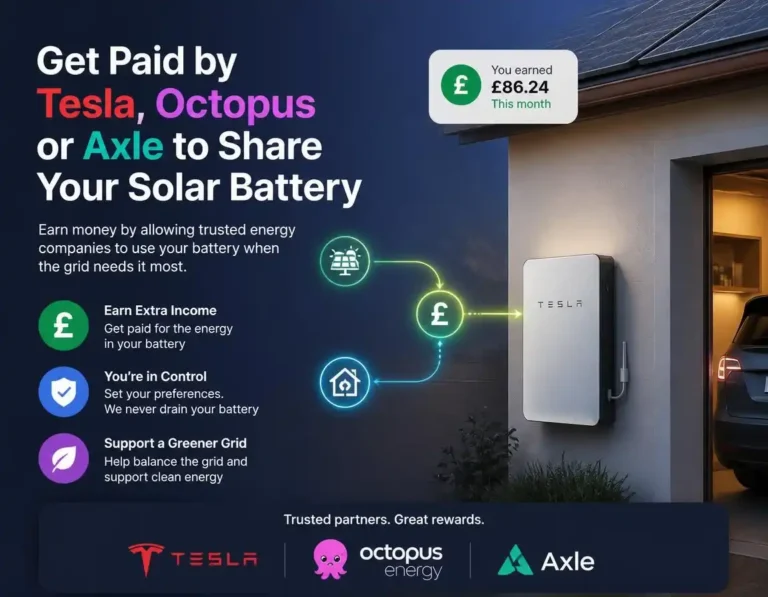
Also check for enrolment you’ve forgotten. If your battery joined a flexibility or virtual power plant scheme (sometimes via the tariff, sometimes via the installer), an aggregator can hold, fill or drain it around grid events and ignore your schedule. Look for “grid services” or “flex event” banners in the app, and read getting paid by Tesla, Octopus or Axle to share your battery. If the problem is a battery draining when your EV charges, see Octopus Intelligent Go draining your solar battery.
4. Firmware, apps and state-of-charge drift
Updates fix battery-communication and charging-logic bugs. They can also reset your grid-charge toggle or change what a mode means. If charging broke straight after an update, that’s your lead.
Connectivity matters too. Schedules usually live in the inverter, but with the gateway or Wi-Fi down you can’t see or change anything, and some apps show phantom states while reconnecting. Reboot the gateway before you doubt the hardware.
The battery percentage is an estimate, and estimates drift. Manufacturers typically expect an occasional full charge to recalibrate the BMS. A solar-only battery may not reach 100% for weeks in a UK winter, so one deliberate full charge from the grid in cheap hours often fixes odd cut-outs and jumping percentages.
Before any update: photograph every settings screen and note the firmware versions. If charging breaks afterwards, that evidence turns a rollback request into a five-minute job.
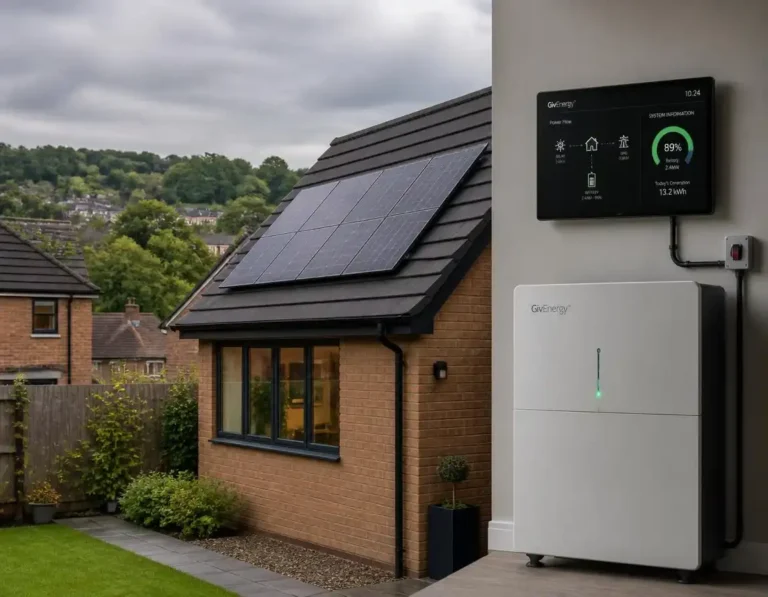
Brand notes. GivEnergy: GivEnergy Ltd entered administration on 9 April 2026, but installed hardware keeps working and the app runs from a separate company. Some cloud features are moving to a paid subscription, so if you suddenly can’t change a schedule remotely, check that before blaming the battery. Details in our GivEnergy administration guide. Tesla Powerwall 2: Tesla has limited charge on affected units under its recall programme pending free replacement, and UK owners report “Powerwall Disabled” alerts. Check our Powerwall recall page and the Tesla app.
5. Cold, cloud and winter: when “not charging” is normal
Do the maths on a December day. A 4kWp array might harvest 2-3kWh in total, so a 9.5kWh battery on solar-only charging will never fill. That’s physics, not a breakdown.
Snow, leaf litter and grime add to the problem, so if the array looks tired, our step-by-step cleaning guide covers the safe basics.
6. Genuine faults: codes, voltage rise and hardware
Settings ruled out, tariff aligned, firmware current, and it still won’t charge? Photograph the error code and look it up in our solar inverter fault codes explainer.
Voltage rise is the sneaky one. On a sunny, low-demand day with the whole street exporting, the inverter curtails output to protect the grid, PV drops, and battery charging slows for no visible reason. Your app’s voltage log will show it. Persistent readings above 253V are a network problem, so ask your DNO to investigate.
Hardware does fail. Contactors wear, fuses blow, BMS boards go, and imbalanced cells make the pack end charging early. What looks like a charging fault can also be capacity fade, where the battery fills in an hour and empties in two. If the inverter is the weak link, see our inverter replacement guide.
Safety: never open the battery or inverter casing, and don’t operate DC isolators under load. Isolate, photograph the code and call an MCS-certified installer.
My 10-minute home checklist
- Read the inverter’s own screen, not the app.
- Check every isolator and breaker: PV, battery, AC.
- Confirm the mode is Eco or self-use, not Backup or UPS.
- Check the reserve floor and maximum charge cap.
- Check the grid (AC) charge toggle and its timed window.
- Compare that window with your tariff’s current cheap hours.
- Check the inverter clock, especially after a BST/GMT change.
- Look at battery temperature, firmware version and the manufacturer’s status page.
- Look for flex or grid-services events holding the battery.
- Photograph every setting and error code before you change anything.
7. Costs, VAT and warranties
If the checklist clears everything and a fault keeps returning, stop resetting and book a visit. Repeatedly clearing an insulation or contactor fault is how small problems become big ones. In warranty, the installer or manufacturer should diagnose at no cost. Our guide to what solar repairs actually cost in 2026 has more detail.
| Job | Indicative UK cost (2026) |
|---|---|
| Settings, clock or tariff-window fix | £0 if you do it yourself |
| Diagnostic call-out | About £80-£150; some firms start nearer £150 |
| Replacement inverter, fitted | Roughly £800-£2,000 |
| New battery, installed | Around £700-£900 per usable kWh (5kWh from about £3,500) |
Ranges are indicative; London and the South East run higher. Keep your MCS certificate, commissioning sheet and warranty documents together. If the manufacturer or installer has gone under, as with GivEnergy Ltd, direct warranty claims against the failed company won’t succeed, but installer workmanship cover, an insurance-backed guarantee, Section 75 credit-card protection and the MCS Consumer Code may still help.
FAQs
Why has my solar battery stopped charging from the grid overnight?
Usually grid (AC) charging is switched off in your inverter app, or your charge window no longer matches your tariff’s cheap hours. After a tariff or supplier switch the old timer keeps running on the old window. Check the grid-charge toggle, then the inverter clock (BST/GMT), then align the window with your current off-peak times.
Why won’t my solar battery charge past 80%?
Almost always a setting: a maximum charge cap or target state of charge, often set by the installer to protect cell life. Check it in the app. If the percentage jumps from about 95% to 100% and then drops quickly, that points to state-of-charge drift, which a full calibration charge usually corrects.
Does cold weather stop a solar battery charging?
Yes. Most lithium (LFP) home batteries block charging at around 0°C to protect the cells, and some models set a higher cut-off, so check your datasheet. A battery in an unheated garage, shed or loft can refuse charge on a frosty morning even with sun on the panels, then resume by itself as it warms.
Will a firmware update fix a battery that won’t charge?
Sometimes. Updates fix battery-communication and charging-logic bugs, but they can also reset settings such as grid charge. Photograph your settings first, install only firmware meant for your exact model, and if charging broke straight after an update, ask your installer about a rollback.
My GivEnergy battery isn’t charging since the administration. Is that why?
Probably not. GivEnergy Ltd entered administration on 9 April 2026, but installed batteries and inverters run independently, and the app is run by a separate company, GivEnergy Software Ltd, which was not placed in administration. Check settings, tariff windows and the clock first. Warranty claims now go through your original MCS-certified installer or other protections.
How much does it cost to fix a solar battery that won’t charge?
A settings, clock or tariff-window fix costs nothing. A diagnostic call-out typically costs about £80-£150 (some firms start nearer £150) and a replacement inverter roughly £800-£2,000 fitted. A new battery in 2026 costs around £700-£900 per usable kWh installed. In warranty, diagnosis should be covered.