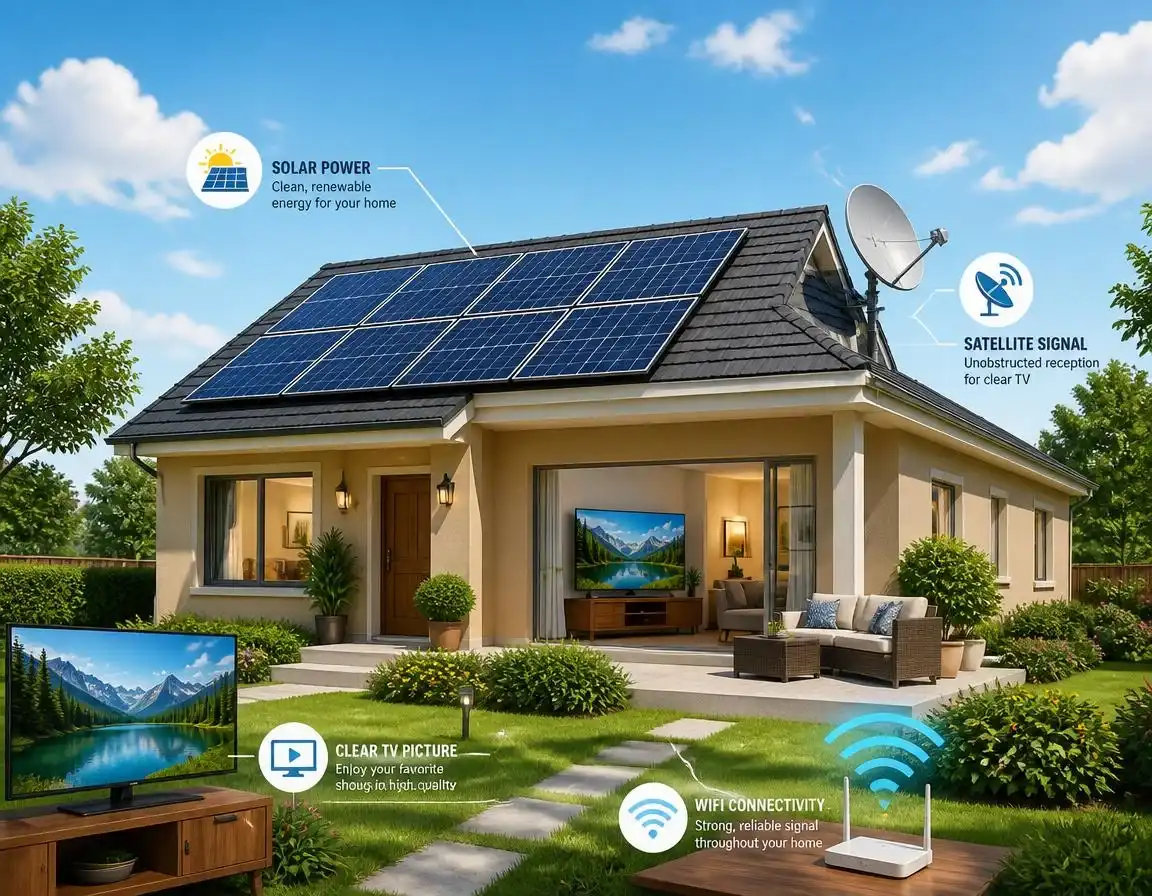
Do Solar Panels Interfere With TV, WiFi or Satellite?

Short version: not really — but the box bolted next to your meter cupboard sometimes can. Here’s the honest, technical, UK-specific answer.
No, solar panels themselves don’t interfere with anything — they’re just glass and silicon sitting in the sun. On the rare occasion a solar installation does cause interference, the actual culprit is almost always the inverter, and specifically a cheap, poorly earthed, or non-compliant one. A properly installed, UKCA-marked system from an MCS-certified installer essentially removes this risk.
If you’ve searched this, chances are your WiFi’s been dropping out, your Freeview’s gone fuzzy, or your satellite box has started acting up, and someone’s mentioned your new solar panels as the culprit. It’s a genuinely common worry, and one worth taking seriously rather than dismissing — but the truth is a bit more specific than “solar panels cause interference.” Let’s sort out exactly what’s going on, what UK law actually says about it, and what to do if it happens to you.
How Solar Panels Actually Work (And Why That Matters Here)
A solar panel itself is entirely passive. Sunlight hits the photovoltaic cells, knocks electrons loose, and that produces direct current (DC) electricity. There’s no transmitter, no oscillator, nothing broadcasting a signal of any kind. On their own, panels are about as electromagnetically “quiet” as a garden fence.
The bit that does real electrical work is the inverter. Its job is to take that DC electricity and rapidly switch it into the 230V AC electricity your home actually uses — thousands of times a second. That switching process is where the electromagnetic noise potentially comes from, not the panels sat on your roof. If you’re looking to add a solar battery to your setup, the same principle applies to the battery’s inverter unit.
So What’s Actually Going On?
Every inverter, even a good one, produces some electrical “noise” as a side effect of that rapid DC-to-AC switching. This is called electromagnetic interference (EMI), and it travels in two ways. Conducted EMI creeps out along your home’s own wiring, potentially reaching your router’s power lead or a nearby socket. Radiated EMI is noise that leaks straight through the air from a poorly shielded inverter casing or badly routed cabling.
Neither of these is unique to solar. Dimmer switches, LED drivers, phone chargers and old power supplies all produce some EMI too — an inverter just tends to run more or less constantly during daylight hours, which is why it gets noticed. The signals most commonly affected are ones that rely on a weak, easily-swamped signal: analogue satellite feeds carried over coax, terrestrial Freeview aerials, DAB radio, and the 2.4GHz WiFi band, which sits uncomfortably close to some inverter switching frequencies.
Which Signals Can Be Affected — And Which Can’t
Worth being precise here, since “satellite” covers two genuinely different things in 2026: traditional satellite TV (Sky, Freesat) and satellite broadband (Starlink and similar). They don’t behave the same way.
| Signal Type | Realistic Risk | Why |
|---|---|---|
| Satellite TV (Sky/Freesat, via LNB & coax) | Occasionally | The LNB down-converts a very high frequency to a lower one carried on ordinary coax, which can pick up noise if run near inverter cabling |
| Freeview aerial (terrestrial) | Occasionally | Weak signal areas are more vulnerable to any added electrical noise |
| DAB radio | Occasionally | Shares a similar sensitivity profile to Freeview and analogue broadcasts |
| 2.4GHz WiFi | Occasionally | Frequency range sits close to some inverter switching noise |
| 5GHz WiFi | Rarely | Higher frequency band, much less commonly affected |
| Mobile 4G/5G signal | Very rarely | Different frequency bands and stronger signal strength generally |
| Satellite broadband (Starlink etc.) | Not typically implicated | Different frequencies and terminal design to classic satellite TV setups |
| Fibre/cable broadband | No | Signal travels as light or over shielded cable, not vulnerable to household EMI |
What UK Regulations Actually Say About This
This isn’t a grey area — it’s properly regulated. Every inverter sold in Great Britain has to comply with the Electromagnetic Compatibility Regulations 2016, which set legal limits on how much electrical noise a device is allowed to produce. Compliant products carry UKCA marking (or CE marking during the transition period), which came into force on 31 December 2020. Enforcement sits with Trading Standards and Ofcom, and penalties for knowingly selling non-compliant kit can include a £5,000 fine or up to three months’ imprisonment.
What To Do If You Think It’s Your Solar System
- ✓ Switch the inverter off at the isolator to test if the issue disappears
- ✓ Move your router away from inverter cabling and the consumer unit
- ✓ Keep coax and data cables well away from AC power cabling
- ✓ Ask your installer to check earthing, filtering and enclosure grounding
- ✓ Use an MCS-certified installer for any new install or fault-finding
- ✗ Assume it’s definitely the solar without testing first
- ✗ Buy an unbranded, non-UKCA-marked inverter to save money
- ✗ Run inverter AC cable bundled tightly with TV or data cable
- ✗ Ignore it if it’s genuinely affecting daily life — get it checked
- ✗ Attempt DIY rewiring around the inverter yourself
For most homes, this is genuinely a non-issue. It’s worth reading our guide on what MCS certification actually means if you want to understand why installer quality matters so much here — a huge share of the rare interference cases reported over the years trace back to shortcuts taken during installation, not the equipment itself. If you haven’t chosen an installer yet, our Find an Installer directory only lists MCS-certified specialists.
Cheap Inverters Are Where the Real Risk Sits
If there’s one genuine takeaway here, it’s this: the interference risk correlates far more with where you bought your inverter than with the fact you have solar at all. Grey-market and unbranded inverters, often bought to cut costs, frequently skip UKCA testing altogether. Our guide to solar panel scams and red flags covers this exact pattern — unusually cheap kit with no proper certification paperwork is one of the clearest warning signs going. Reputable brands like the ones covered in our Huawei SUN2000 review and GivEnergy battery review are tested to UK standards as a matter of course, which is exactly why they don’t show up in interference complaints.
The Verdict
📡 Should this put you off going solar?
No. Genuine, persistent TV, WiFi or satellite interference from a properly installed UK solar system is rare, and when it does happen, it’s almost always traceable to a specific fault — bad earthing, poor cable routing, or non-compliant equipment — rather than something inherent to solar power itself. Stick with an MCS-certified installer, insist on UKCA-marked kit, and check your warranty cover includes workmanship, and this shouldn’t be something you ever have to think about again.